Four billing modes, per customer.
On completion, the moment the visit is done. On a schedule: weekly, every two weeks, or monthly at 8:00 AM. Offline or check, issued when you click. Prepay, billed $0 against the prepaid invoice.
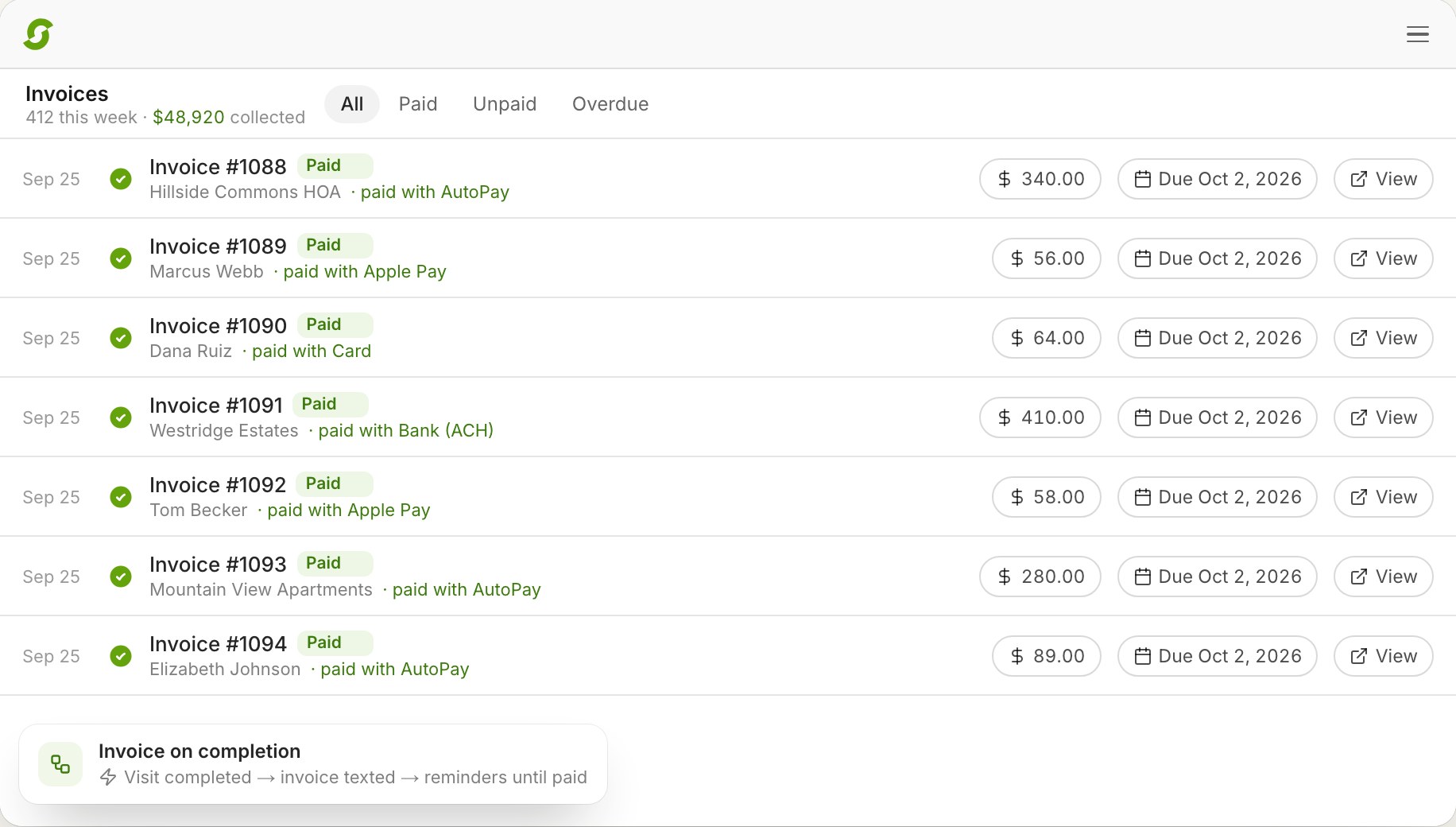
In Shortcut, invoices come from completed work. When a crew taps Finish, the invoice is created and sent by email or text, with the crew's photos on it, and the customer pays from the link with Apple Pay, Google Pay, a card, or their bank. Customers on AutoPay are charged without anyone doing anything. What varies is only when: per job, weekly, every two weeks, or monthly.
A 20-minute call to see if Shortcut fits how you run. Running 1–2 crews? Start a free trial
The problem at five crews
Invoicing five crews by hand is an evening job, and the evening job slips, and the money slips with it. Invoicing software for lawn care has to bill from the completed stop, handle the customer who wants one statement a month, chase what's overdue without a phone call, and land in the books without re-entry.
How Shortcut does it
On completion, the moment the visit is done. On a schedule: weekly, every two weeks, or monthly at 8:00 AM. Offline or check, issued when you click. Prepay, billed $0 against the prepaid invoice.
Apple Pay or Google Pay on the invoice page, or a card or bank transfer through Stripe's checkout. No account needed. AutoPay charges saved cards; customers manage it in the portal.
Overdue reminders send themselves. Late fees apply on your rules. The recovery automation emails in business hours, waits a week, and hands what's still unpaid to a staff task.
Prepay invoices cover named services. Credits, refunds, credit memos, and void-and-reissue are built in. Card fee pass-through and sales tax are settings.
Pick the jobs, set a percentage or fixed amount and a start date, review every customer's old and new price, preview the notice, and send. Shortcut warns if customers get less than 30 days.
Customers, services, invoices, payments, refunds, and credits sync to QuickBooks Online; QuickBooks Desktop by custom configuration. Revenue shows completed, invoiced, and collected side by side.
Compared
| Feature | Shortcut | Service Autopilot | RealGreen | LMN |
|---|---|---|---|---|
| Payments | Your own Stripe account: cards, Apple Pay, Google Pay, ACH, AutoPay | Clearent only, by contract1 | WorkWave Payments; reported $500 exit fee2 | Cards, ACH, debit through LMN Pay3 |
| QuickBooks | QuickBooks Online sync, included; Desktop by custom configuration | Elite or paid add-on4 | Manual IIF export of summarized journal entries5 | Batch sync tool; per-visit quantities export as zero6 |
| Client portal | Included | Add-on on Pro and Pro Plus4 | Customer portal7 | — |
Competitor cells reflect public pages, terms, and help documentation as of October 2, 2026.
Pricing, switching, and what Shortcut does today, in plain words.
No. Invoices come from completed work. When a visit is marked complete, the invoice is created and sent, or saved for the customer's weekly or monthly statement.
Yes. Billing mode is per customer: on completion, weekly, every two weeks, monthly, offline, or prepay.
From the link: Apple Pay or Google Pay on the invoice page, or a card or bank transfer through Stripe's secure checkout. No account needed. AutoPay charges saved cards automatically.
Shortcut charges none. Payments run through your own Stripe account at Stripe's rates, and you can pass the card fee through to the customer.
Yes. Overdue reminders send themselves, late fees apply on your rules, and the recovery automation hands stubborn ones to a staff task.
Yes. A prepay invoice covers named services, and completed work bills $0 against it until the balance is used.
Yes, QuickBooks Online: customers, services, invoices, payments, refunds, and credits, from the start date you choose. QuickBooks Desktop is supported as a custom configuration set up with you on the walkthrough.
$180 per crew per month with invoicing, payments, AutoPay, the portal, and QuickBooks Online included, and unlimited users.
Book 20 minutes with the team that built Shortcut. We'll finish a visit and show you the invoice, the payment, and the QuickBooks entry.
Rather skip the form? Open the calendar. Running 1 or 2 crews? Start a 14-day free trial, no card.