One workspace, five views.
Needs estimate, Estimate pending, Needs scheduling, Scheduled, and All. Work the list left to right. Clicking anyone opens the same profile.
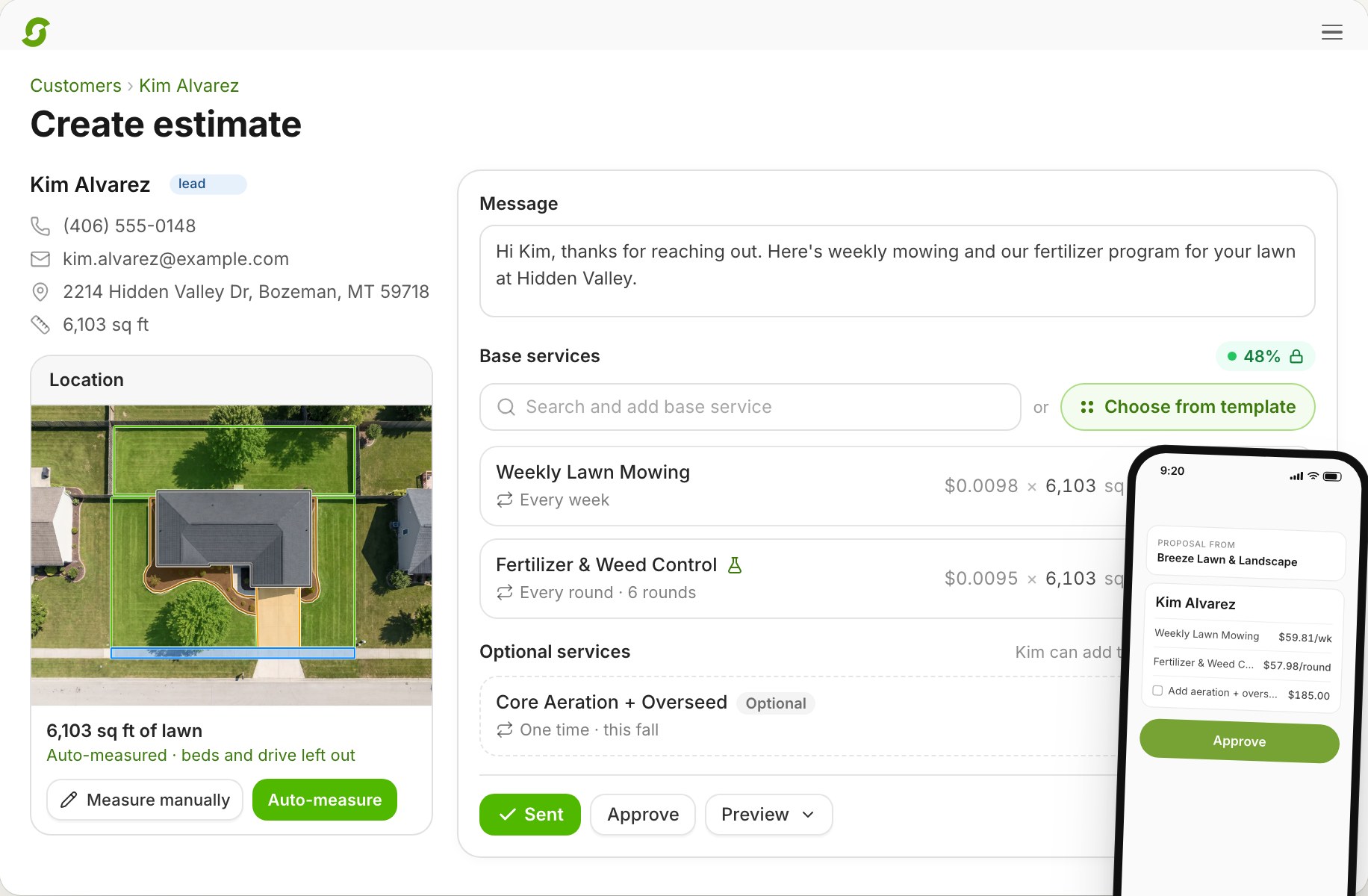
A general CRM tracks a lead until someone says yes, then hands off to whatever runs the trucks. Shortcut's CRM is the same system as the trucks. The lead comes in from your website form with the address attached, the lawn measures itself, the estimate prices from your services, the customer approves from a text, and the visits land on the dispatch board.
A 20-minute call to see if Shortcut fits how you run. Running 1–2 crews? Start a free trial
The problem at five crews
Each spring lead needs a measurement, a quote, a follow-up, a yes, a start date, and a crew. A CRM that stops at the yes leaves the office re-keying every won job into the scheduler, and the follow-ups that didn't happen are the jobs the competitor got.
How Shortcut does it
Needs estimate, Estimate pending, Needs scheduling, Scheduled, and All. Work the list left to right. Clicking anyone opens the same profile.
The intake form embeds on your site and captures requested services, property size, and address. A starter website with the form built in is included. New leads push an alert to your phone.
Auto-measure draws the lawn from parcel data and imagery. Services price by square foot, hour, man-hour, flat, or lawn size, with optional items, choose-one alternatives, and live margin.
Send by text or email; the customer approves in one tap. Estimate reminders go out on their own. Approval puts the visits on the schedule. More on scheduling.
Every text conversation in one shared inbox, with opt-outs handled. A prebuilt library covers estimate follow-up, reminders, overdue recovery, review requests, and win-back, plus a builder for the rest.
Published visits and service reports with photos, every invoice and payment, autopay, and email preferences. Tags, custom fields, and multi-property customers throughout.
Compared
| Feature | Shortcut | LMN | Service Autopilot | RealGreen |
|---|---|---|---|---|
| Two-way texting | Inbox, included | One-way; replies "will not be received by anyone"1 | Elite or add-on2 | Outbound only3 |
| Measurement on new leads | Auto-measure, included | — | Smart Maps add-on4 | Measurement Assistant, separate subscription5 |
| Automations | Prebuilt library and builder, included | Manual batch texts, transactional only1 | From the $499 tier2 | Customer Notifications since March 20256 |
Competitor cells reflect public pages and help documentation as of October 2, 2026.
Pricing, switching, and what Shortcut does today, in plain words.
The record doesn't stop at the yes. In Shortcut the lead's address becomes a measured property, the estimate prices from your services, approval creates the recurring visits, and the same record carries invoices, payments, and the crew's photos.
From the website intake form, which captures requested services, property size, and address; by hand; or by import. New leads push an alert to your phone.
Yes. Replies land in the shared inbox with the customer profile one click away. Opt-outs are handled automatically.
Yes. The estimate follow-up automation emails customers whose estimate is still pending and creates a staff task for larger ones. Edit the wording and timing before you publish it.
Yes, with a private feedback path for customers who weren't happy.
Yes. One customer, many properties, each with its own measurements and notes.
Yes. Customers, services, invoices, payments, refunds, and credits sync to QuickBooks Online. QuickBooks Desktop is supported as a custom configuration set up with you on the walkthrough.
$180 per crew per month with the CRM, inbox, automations, portal, and measurement included, and unlimited users.
Book 20 minutes with the team that built Shortcut. We'll put your address in the form and run it to a scheduled visit while you watch.
Rather skip the form? Open the calendar. Running 1 or 2 crews? Start a 14-day free trial, no card.